Tech help
What is this screen asking me?
Pop-ups. Password prompts. "Your account has been locked." Your parent takes a screenshot of the screen that confuses them, and Mimi Care explains it in plain language, no tech words needed.


We’re welcoming families a few at a time, so there may be a short wait after you sign up.

What it does
Any screen. Any question. No jargon.
The pop-up, the prompt, the "accept cookies" banner: Mimi Care explains what it actually means.
Pop-ups and prompts.
"Accept cookies?" "Update now?" "Sign in again?" Mimi Care explains what the screen is asking, in plain words.
"Your account has been locked."
Is this real, or a phishing page? Mimi Care looks at the screen, points out the warning signs, and suggests checking with someone they trust.
Email and messaging apps.
"How do I attach a photo?" "Where did that email go?" A screenshot of the app, and Mimi Care explains what the buttons on it do.
How it works
Three steps.
Screenshot, hand it over, hear the answer.
- 1
Take a screenshot.
On an iPhone, press the side button and volume up at the same time (on an older iPhone with a round Home button, the side or top button and Home). On an Android phone, press the power button and volume down at the same time.
- 2
Hand it to Mimi Care.
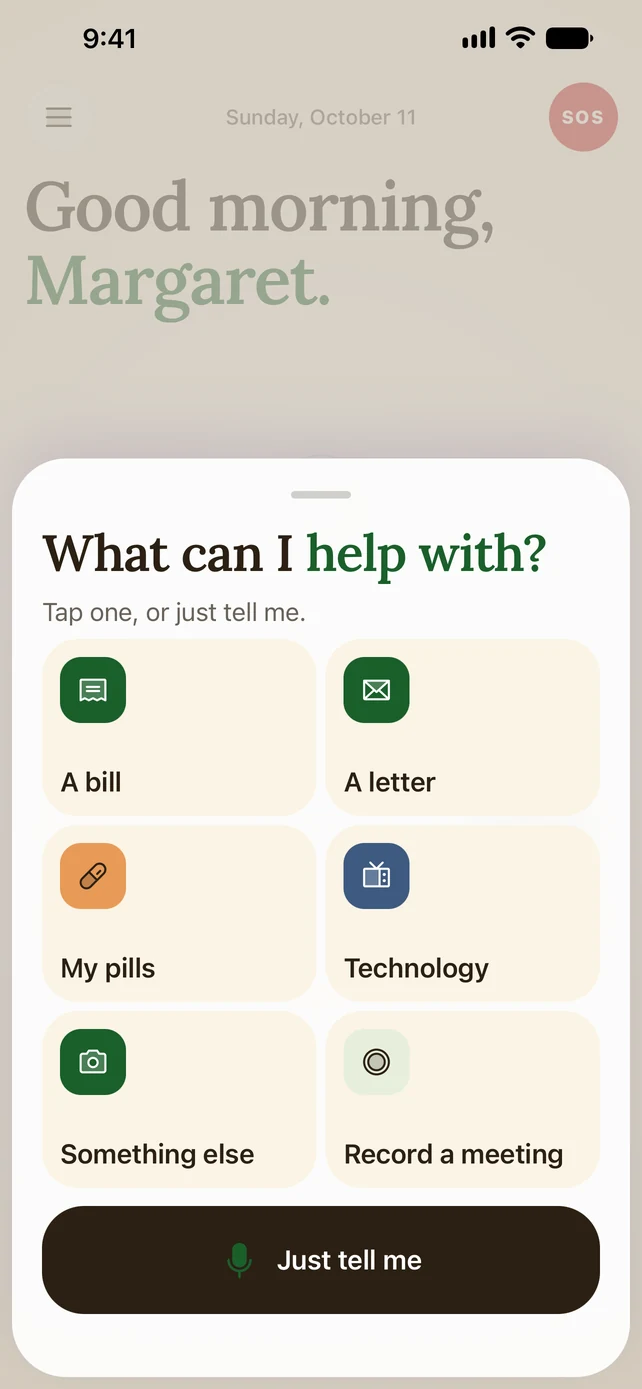
In Mimi Care, they tap Help me, then Technology (or Scam check), choose "Use a photo I have" and pick the screenshot from their photos.
- 3
Hear what's going on.
A plain explanation in the Mimi Care voice they picked. They can ask follow-ups out loud: "wait, which button do I press?"
Why it matters
Confusing screens mean calls home.
Most of the trouble isn't the phone or the apps. It's the pop-ups, prompts and messages that interrupt, the ones everyone else dismisses without thinking.
Mimi Care closes that gap. Sometimes you still need to be there in person, but many "what is this screen?" questions get answered without a call, so the calls home can be about more than the pop-up that won't go away.
And if the screen looks like a phishing page or a fake "Microsoft Support" warning, Mimi Care says so. Confusing screens are one of scammers' favorite tricks.
Common questions.
Does Mimi Care see passwords or private details on a screenshot?
Yes, if one is showing: Mimi Care sees whatever is in the screenshot, so it's best to take it once the password is hidden. Mimi Care never asks for passwords and never tells them to give one out. The screenshot is sent over an encrypted connection and stored encrypted. Mimi Care's AI provider, Anthropic, reads it to answer. We don't use it to train AI, and Anthropic's terms don't allow it to either. A copy of each help is kept so they can look back at it, and it's deleted after 180 days unless they choose to keep it.
How do they take a screenshot?
On an iPhone, press the side button and volume up at the same time (on an older iPhone with a round Home button, the side or top button and Home). On an Android phone, press the power button and volume down at the same time. Then they choose "Use a photo I have" in Mimi Care.
What if it's something I have to fix remotely?
Mimi Care doesn't do remote control. The help is an explanation of what's on the screen. For things you have to fix yourself, Mimi Care suggests checking with family, and you still have your regular call with Mom.
Does this work with a computer or an iPad too?
Mimi Care runs on iPhone and Android phones. For a computer or tablet, they can take a picture of its screen with the phone, under Technology.
What about scam tech-support pop-ups, like "Call Microsoft!"?
Tech support scams were the most reported fraud among people 60 and older in 2023, according to the FBI IC3 2023 Elder Fraud Report. When a screen looks like one, Mimi Care says so, suggests not calling the number on it, and suggests checking with family.
Also helpful
Help them stay independent.
Set it up today, on your phone or right here.
Create your accountWe’re welcoming families a few at a time, so there may be a short wait after you sign up.